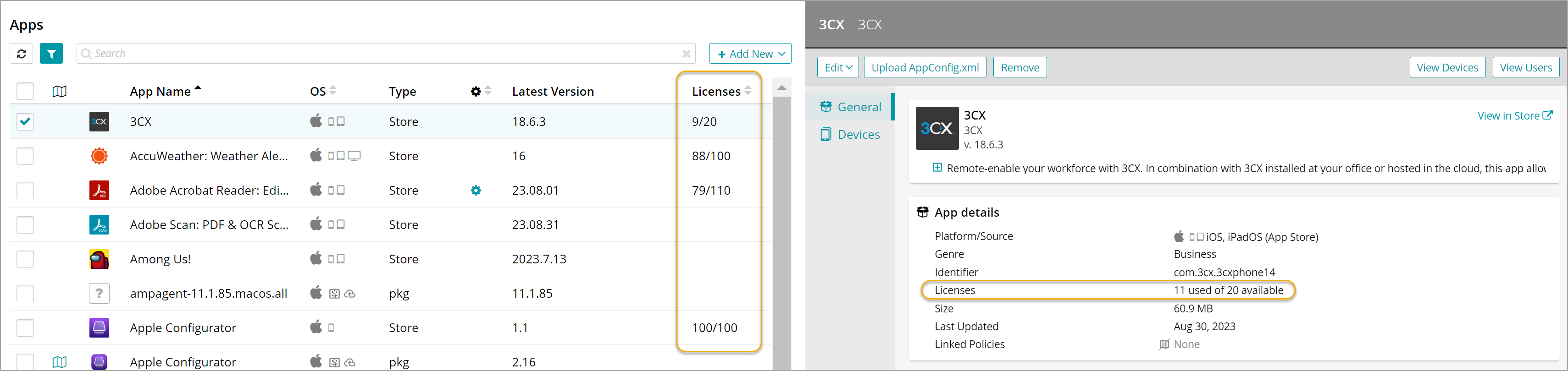
View available iOS app licenses
- Select the Settings tab in top navigation.
- Select Apple Settings > Volume Purchase Program (VPP).
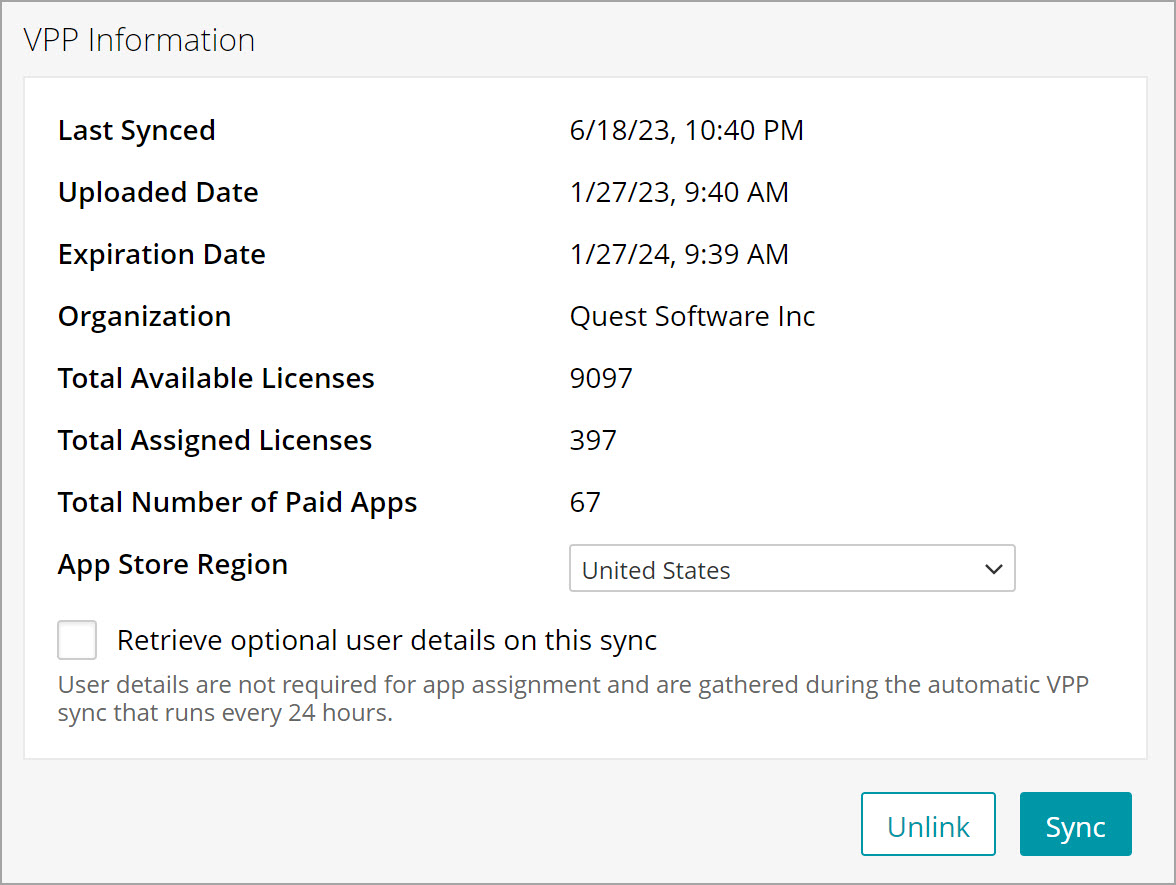
Information about all available licenses appears in the VPP Information section on the Apple Volume Purchase Program page.
- Selected apps.
- Select the Library tab in top navigation.
- Click the Apps icon.
- Select an iOS app.
- In the right panel, review the Licenses section.